
Home › Features
Features for everything you print
QR codes you can change after printing, scan stats for every code, and campaigns that show which streets, routes and flyers brought you jobs. Screenshots are from a sample account.
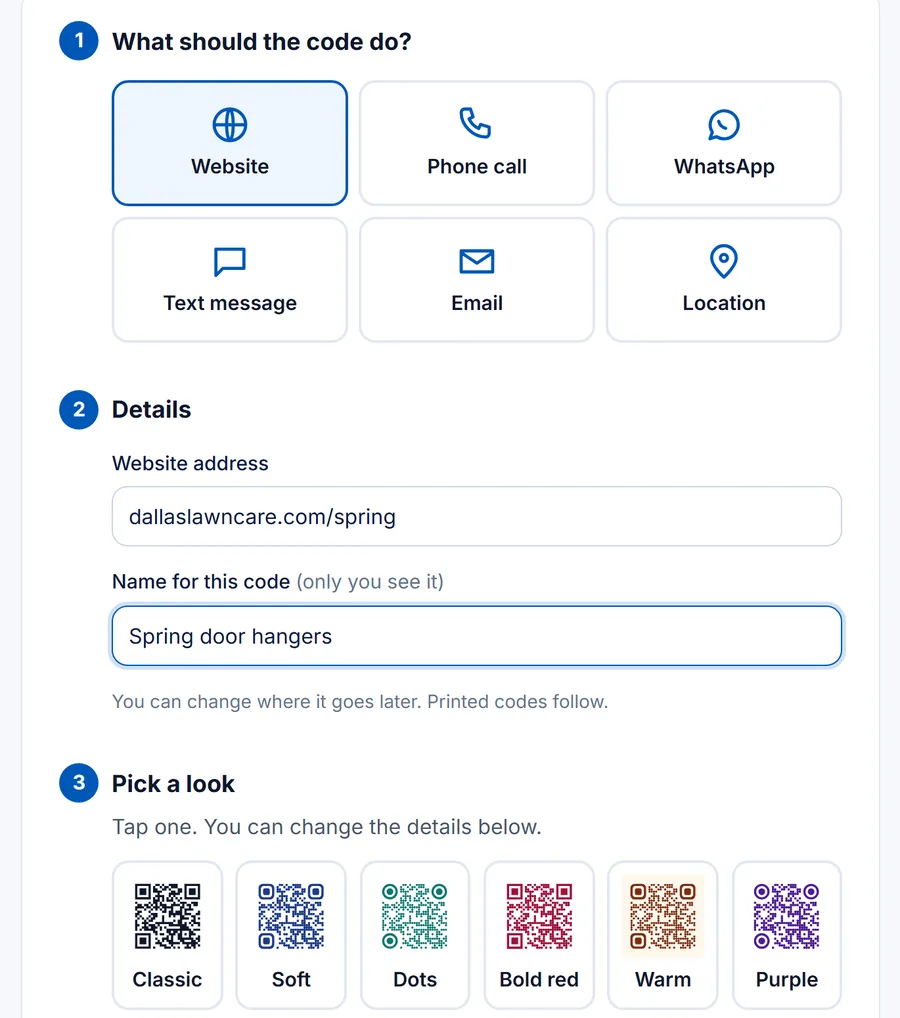
Dynamic QR codes
Make a code that opens a website, a phone call, WhatsApp, a text message, an email or a map location. Print it once, then change where it goes whenever you like. Printed codes follow.
- Six ready looks, your colours and dot shapes, your logo and a “Scan me” frame
- Checks contrast and size before you download, so it scans on paper
- PDF for the printer, PNG for phones and the web, SVG for designers
- Pause a code, or point it somewhere new, in one click
Scan stats for every code
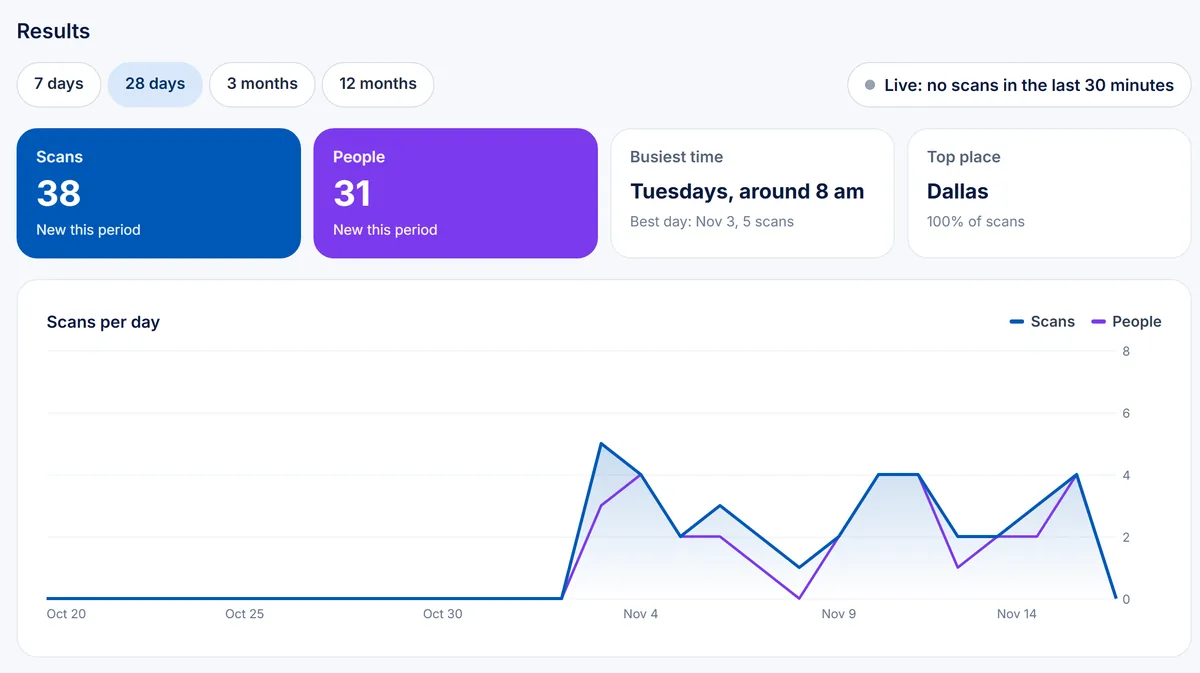
Every scan is counted the moment it happens.
- Scans and new people by day, for 7 days, 28 days, 3 or 12 months
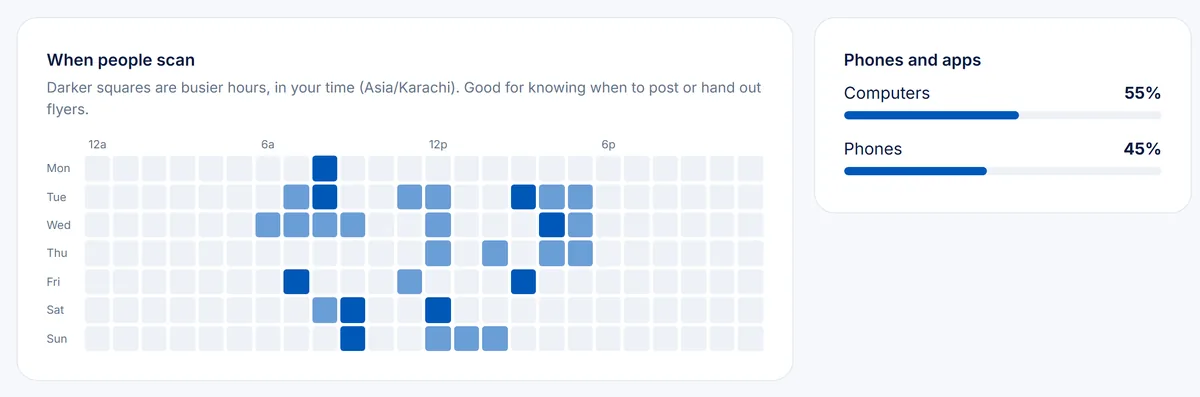
- Your busiest day and hour, so you know when people read your flyers
- Towns and countries, worked out from the phone’s network (approximate, never GPS)
- Phones and scanning apps, and a live dot when someone is scanning now
- Download every scan as a spreadsheet
Mail and flyer campaigns
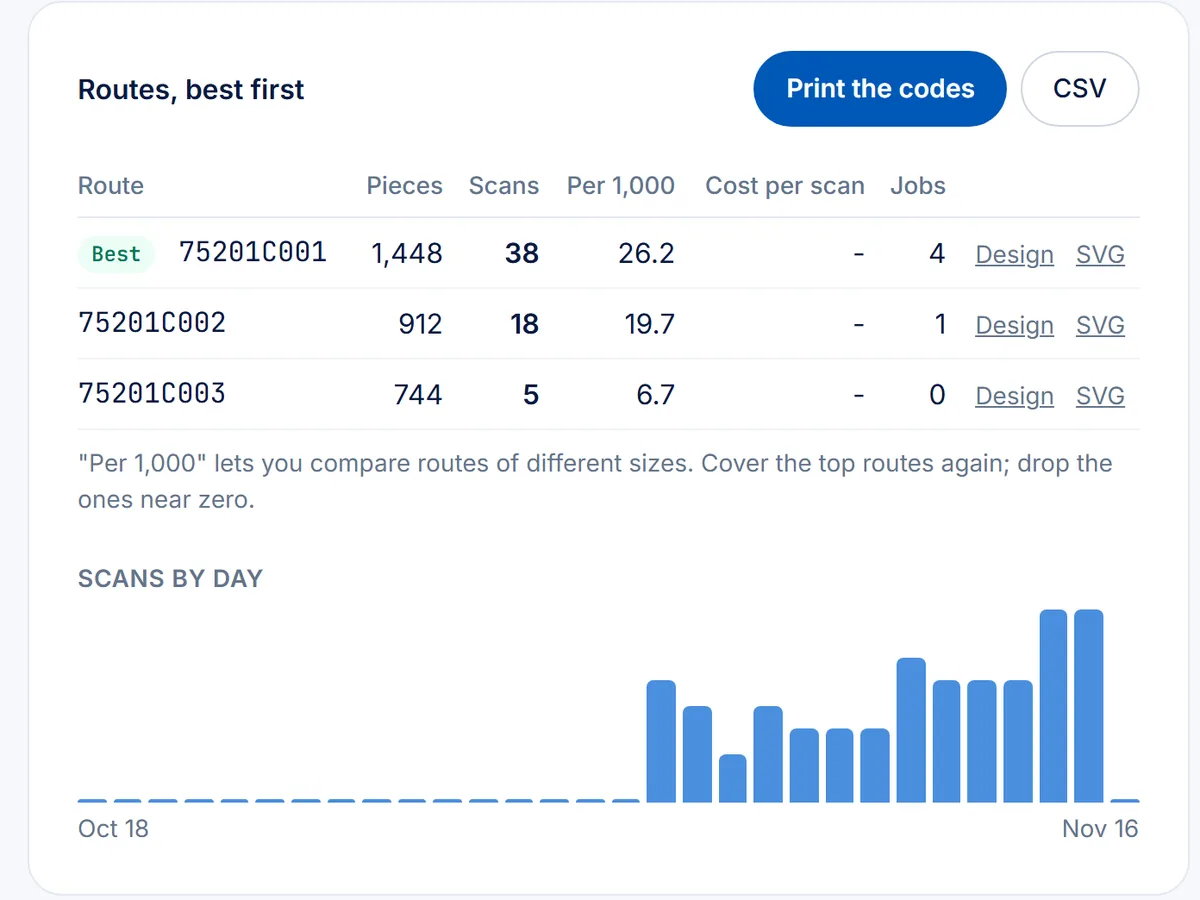
Give every area its own code and see which one people answered.
- USPS mail routes: pick routes on the official USPS EDDM tool, paste the route IDs, and each route gets its own code
- Postcodes or areas anywhere: UK postcode sectors, towns, neighborhoods
- Hand delivery: one code per street your team covers
- Numbered flyers: a different code on every flyer, up to 2,000, printed from a ready sheet
- Routes ranked by scans per 1,000 pieces, so big and small areas compare fairly
- Website links get tracking tags for Google Analytics on their own
Jobs and return per area
Note each job the flyers brought in, with its value. See the cost per scan, cost per job and which areas paid for themselves.
GPS delivery proof
Send your delivery person a link. Their phone records the route they walked and the drops, with nothing to install, and it shows next to your scans.
Website tracking
Add one line to your website to see which scans turned into visits, calls, forms and sales.
Campaign export
Download a campaign as a spreadsheet: pieces, scans, scans per 1,000, cost and jobs for every route.
Pages: business cards, menus and invitations
Need somewhere for the code to go? Make a page in a few minutes.
- A business card page people can save to their phone in one tap
- A restaurant menu you can update without reprinting
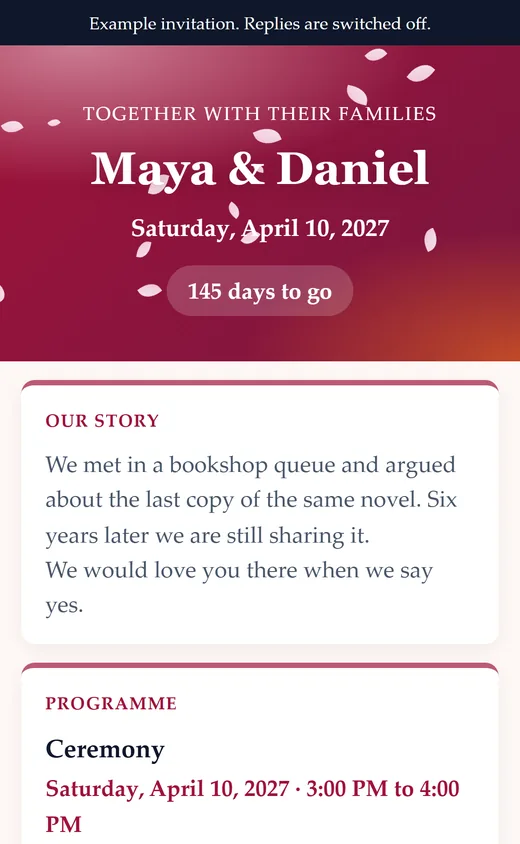
- Invitations with RSVP: yes, maybe or no, a head count, your own questions, a guest list to download, and a personal link for each guest that shows who opened it
See the invitation examples
Free tools, no account
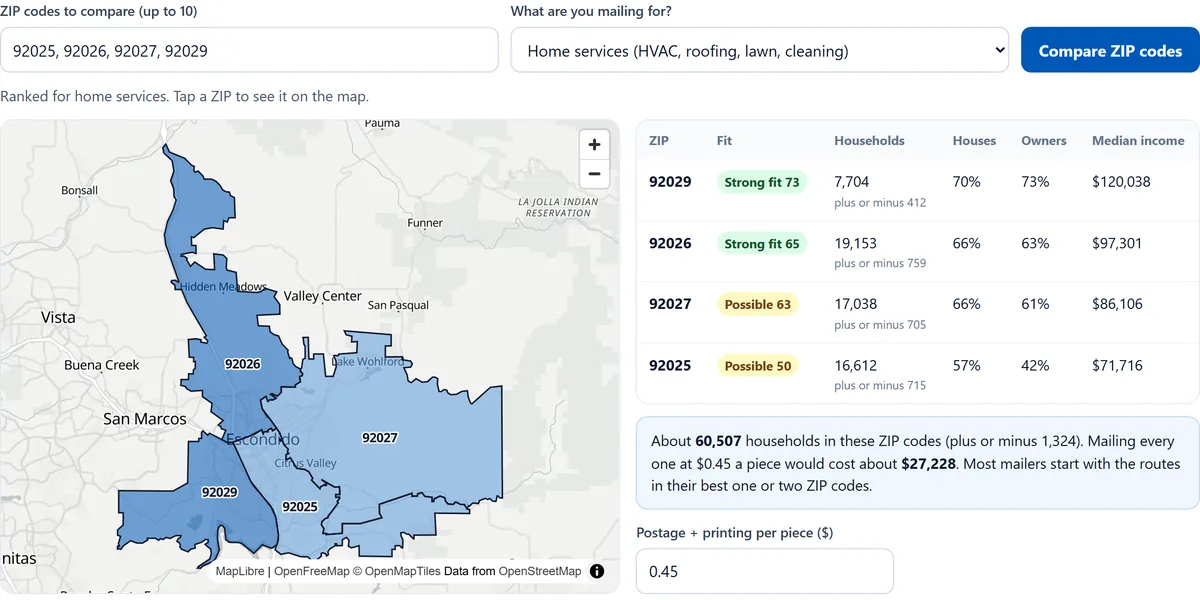
- EDDM ZIP code planner: compare ZIP codes by households, homeowners and income from U.S. Census data
- RSVP QR code generator for paper invitations
- QR code size checker for any scanning distance
- Flyer ROI calculator
- QR code generator and QR code scanner
Free for 3 months, and your codes never stop
No card to start. After 3 months it is $4 a month billed yearly, or $10 month to month, for 50 dynamic codes. If you stop paying, your printed codes keep working and keep going to the last link you set. See pricing.
Frequently asked questions
What do I need to start?
An email address or a Google account. No card, nothing to install.
Do people need an app to scan my codes?
No. Any phone camera made in the last few years opens them.
Can I change a code after it is printed?
Yes. Open the code, type the new link and save. Every printed copy follows.
Does it work outside the US?
Yes. Codes and stats work anywhere. Mail routes are a US thing, so outside the US you give each postcode, town or street its own code instead.
Last updated November 16, 2026.